A vision-language model can compare interface revisions, inspect product photos, summarize diagrams, read screenshots, or group visual evidence. The model becomes much more reliable when you define the decision first and force observations to stay connected to a specific image.
Choose a task with a checkable result
Vision models are strongest when the question is concrete. “Tell me about these images” invites a broad description. “List the visible differences between the checkout screens, grouped by layout, copy, and controls” gives the model a bounded job and gives you a way to review its answer.
| Use case | Useful output | Important limit |
|---|---|---|
| Compare two UI screenshots | Added, removed, moved, and restyled elements | Small text must remain readable |
| Review product photos | Visible defects, consistency, framing, and missing views | Do not infer hidden material or safety properties |
| Extract data from charts | Labels, trends, approximate values, and anomalies | Verify exact numbers against source data |
| Organize document scans | Document type, date, topic, and review priority | Handwriting and low contrast can cause errors |
Prepare images without destroying the evidence
Keep the original aspect ratio
Stretching a screenshot changes shapes and can make visual comparison misleading. Resize proportionally. If the source is 16:9, let the displayed image remain 16:9; reduce its width responsively and allow the height to follow automatically.
Crop irrelevant space, not relevant context
Empty desktop borders waste visual tokens. But a crop that removes a heading, axis, filename, or neighboring control can destroy the evidence needed to interpret the image. Keep enough surrounding context to identify what each detail belongs to.
Use a stable order and labels
Decide that the first attachment is “Image A,” the second is “Image B,” and so on. Put that mapping in the prompt. If the interface shows image messages independently from text, confirm the order before sending. Do not rely on filenames alone because some chat APIs omit or transform them.
Prefer focused batches
More images do not guarantee a better answer. Begin with the smallest batch that contains the required comparison. If you have 40 images, process them in consistent groups, record the results, and perform a final synthesis from the structured notes.
Use an evidence-first prompt formula
A dependable prompt has five parts:
- Role: the type of review, not a grand persona.
- Image map: what Image A, B, and C represent.
- Task: the exact question or decision.
- Evidence rule: observable facts before inference.
- Output: a table, checklist, or structured report.
This prompt works because it separates what the model can see from what it thinks the change might cause. “Likely user impact” is clearly an interpretation; the two image columns are evidence.
Verify the answer before using it
Vision output is a draft analysis, not source data. Reopen each image and check the claims that matter. Exact numbers, small labels, subtle color differences, and spatial relationships deserve special attention. If the model claims that a control is missing, confirm it is not merely below the fold or hidden by the crop.
A useful second-pass prompt is: “Review your table and identify every row that depends on unreadable text, an assumption, or a detail not directly visible. Do not add new observations.” This does not prove correctness, but it makes uncertainty explicit and narrows manual review.
- Every claim names Image A, B, or another specific source.
- Visible facts and inferred impact are in separate columns.
- Quoted text was checked at full readable resolution.
- Missing content is not simply outside the crop.
- Low-confidence findings are labeled rather than hidden.
- Important numbers are verified against the original source.
Know when ordinary OCR is the better tool
If the job is exact transcription, a dedicated OCR tool is often easier to validate than a conversational vision model. Use the VLM to explain layout, compare images, or reason about visible relationships; use OCR to capture every field and number. A strong workflow can run OCR first, then ask the model to organize the extracted text while the original image remains available for visual context.
Keep sensitive images local
Screenshots often contain more private data than expected: account names, browser tabs, notifications, internal URLs, customer details, and file paths. Crop or redact unrelated secrets before analysis even when inference is local. This reduces accidental exposure in backups, exported chats, or later screen sharing.
Confirm that image interpretation still works with the internet disconnected. If the application supports external tools, make sure they are not invoked for a visual task unless you explicitly need them. Local vision requires a model plus its matching local projector; it should not need to upload the image to an OCR or captioning API.
Copyable multi-image analysis template
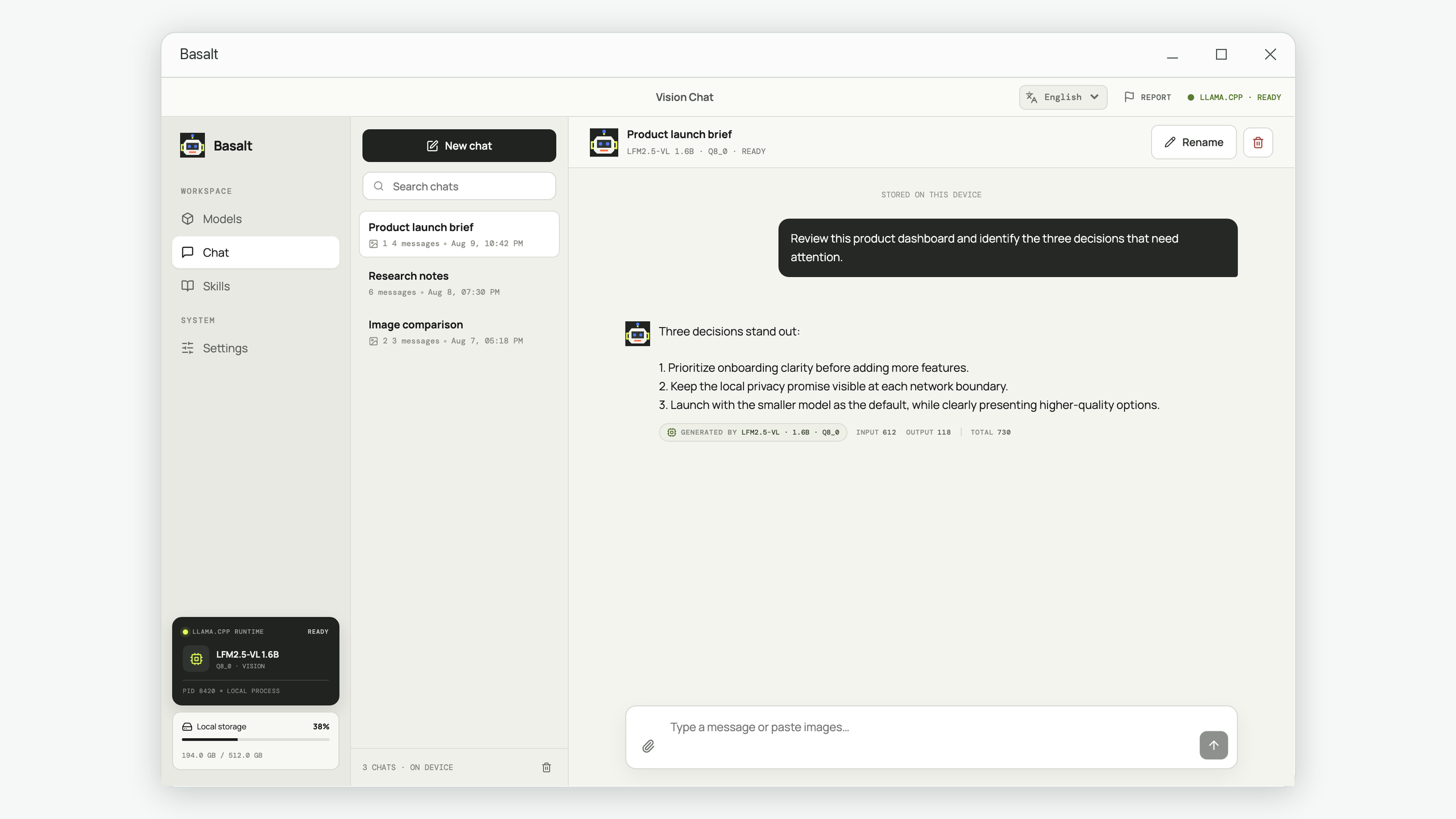
Basalt supports multiple image attachments as independent chat messages, local vision models such as Qwen3.6, Gemma 4, and LFM2.5-VL, and full-size image viewing. The preparation, prompting, and verification method works with any capable VLM interface.
Analyze images without sending them to cloud history
Use private multimodal chat, attach focused image batches, and keep the source images in their correct proportions.
Try Basalt for Windows